
How to integrate Klaviyo with Rfmcube
In this guide we see how to integrate the segments found in Rfmcube with the Klaviyo.
The integration will allow you to keep your segments synchronized with Klaviyo lists in real time, to easily build automations and campaigns based on your customers’ buying behavior.
Copy the API access values
Log in to your Klaviyo account and follow the path Settings >> Developer.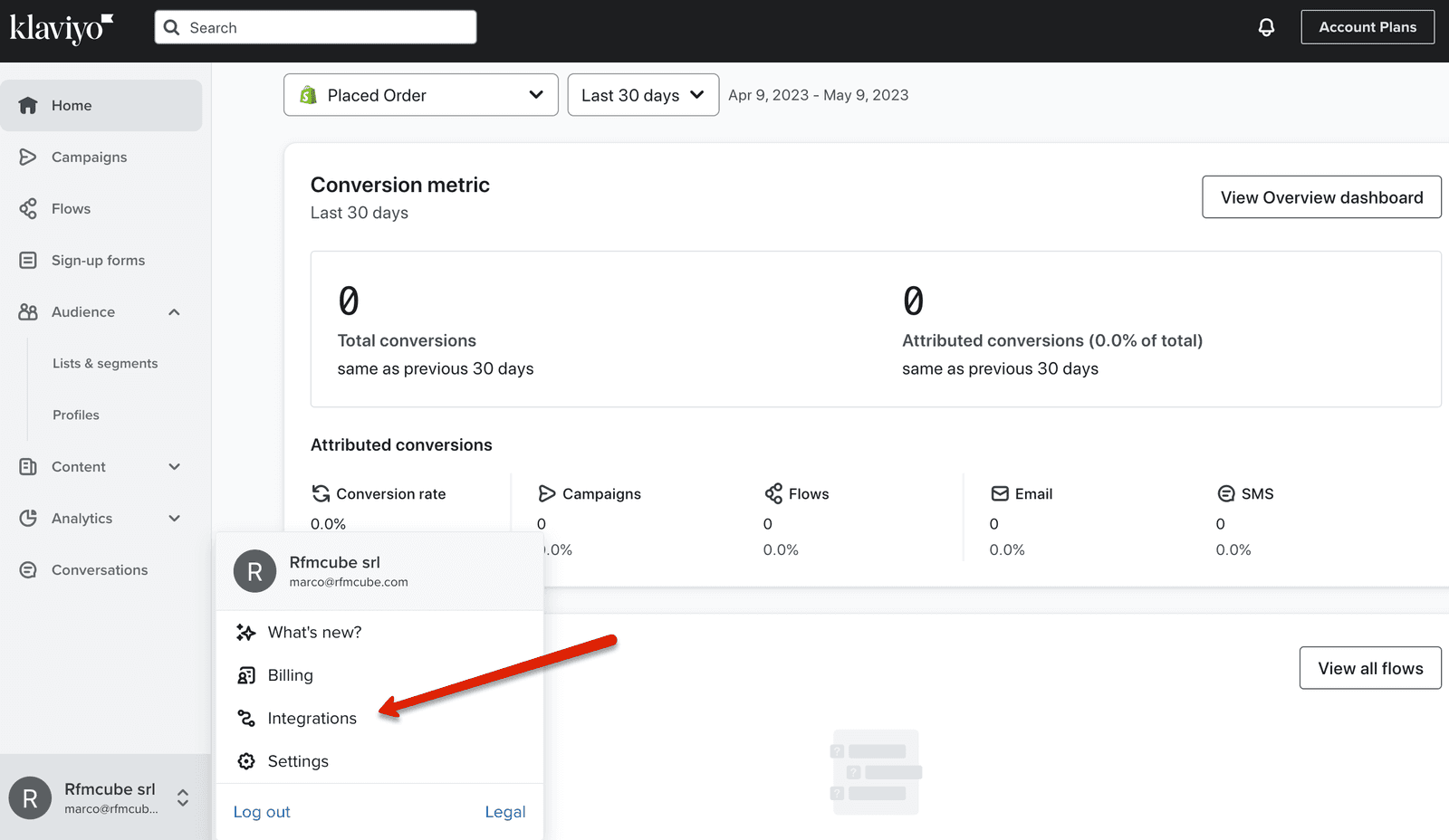
Now click on the Developer Tools button at the top right, then on Manage API Keys.
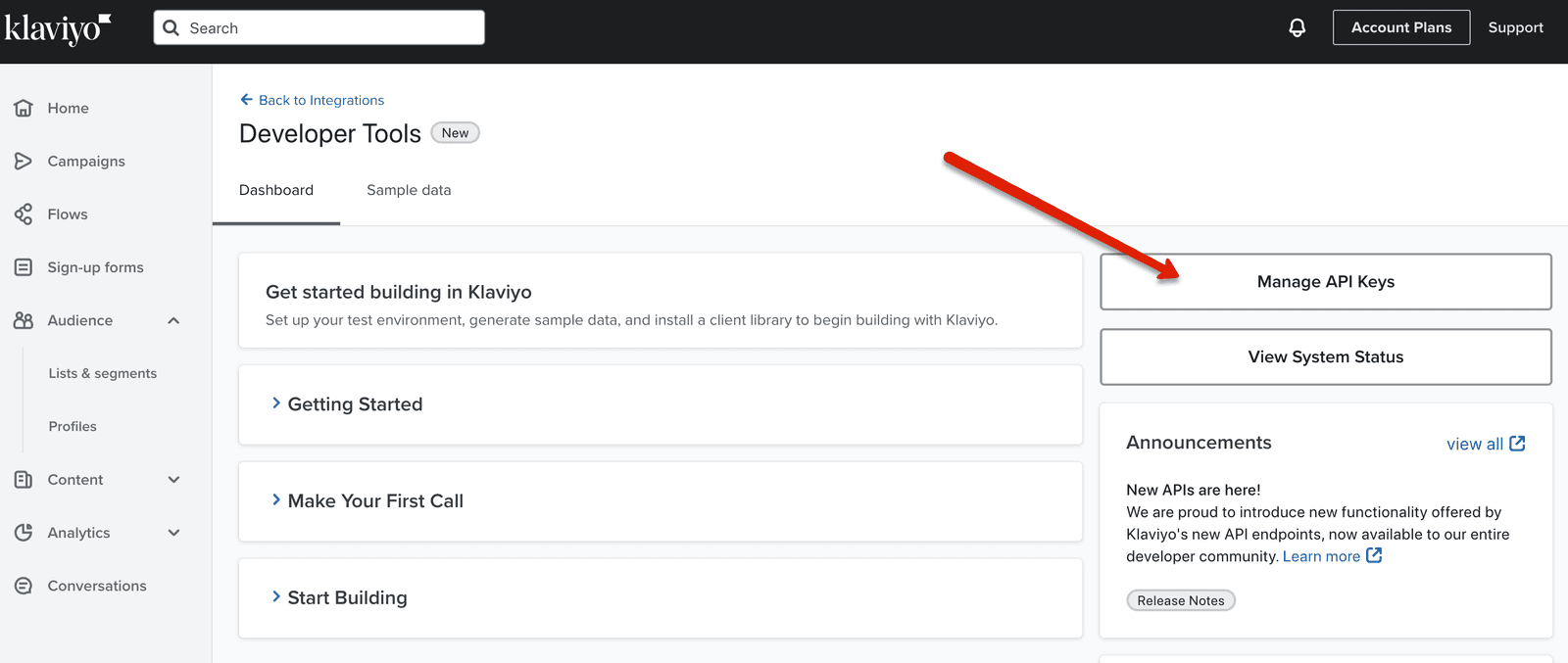
Click on the Create API Key button to generate the API key to insert in Rfmcube.
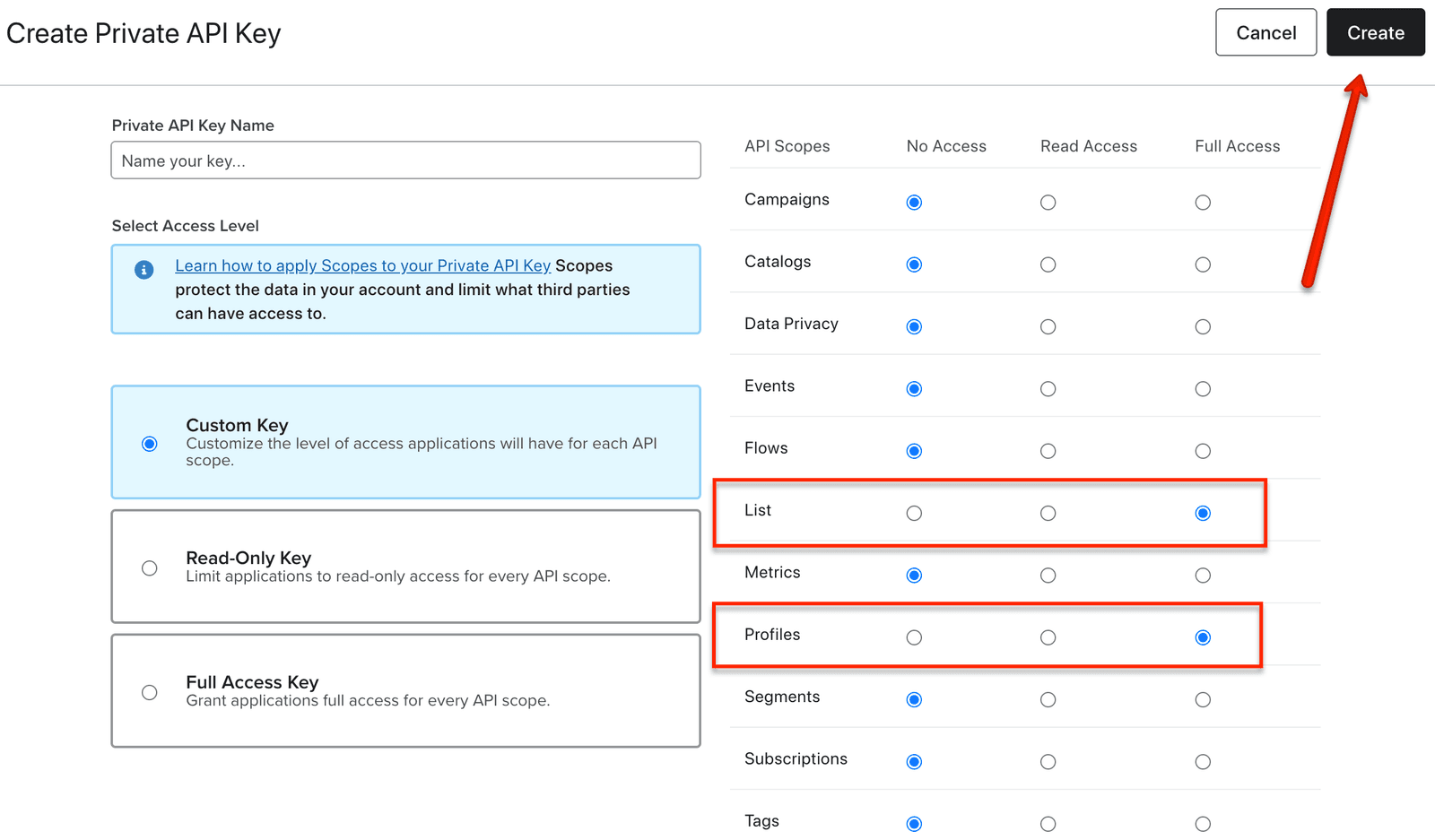
Assign a name to your key (for example “Rfmcube api key”) then check the Full Access permissions to the List and Profiles tables; finally click on Create.
Copy the generated key and paste it into your connector on Rfmcube, under Integrations > Klaviyo > Private key.
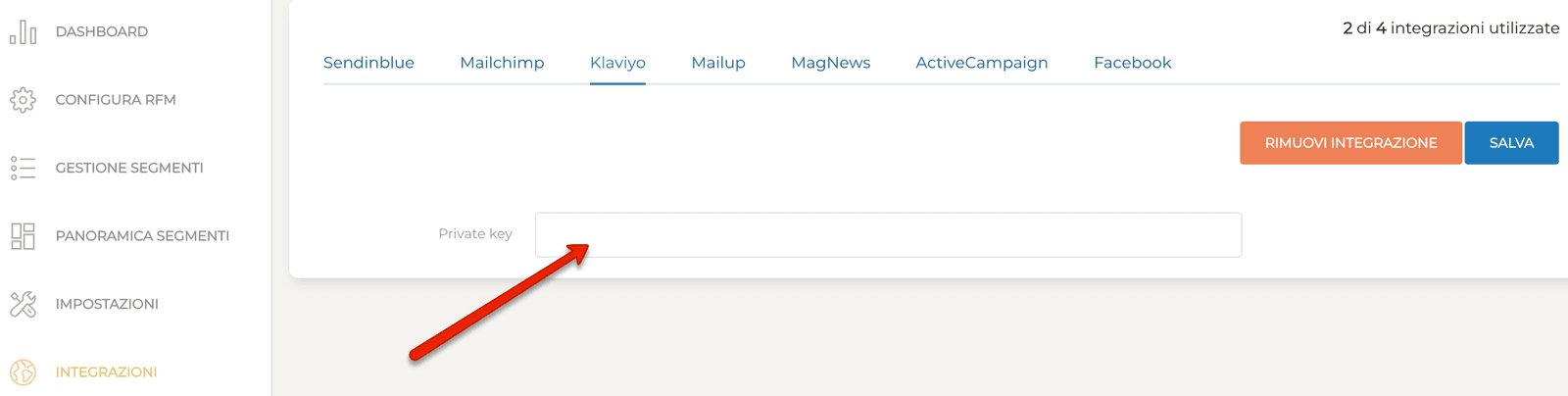
Click Save.
Well done! Now Klaviyo is correctly integrated with your Rfmcube account.
Field mapping
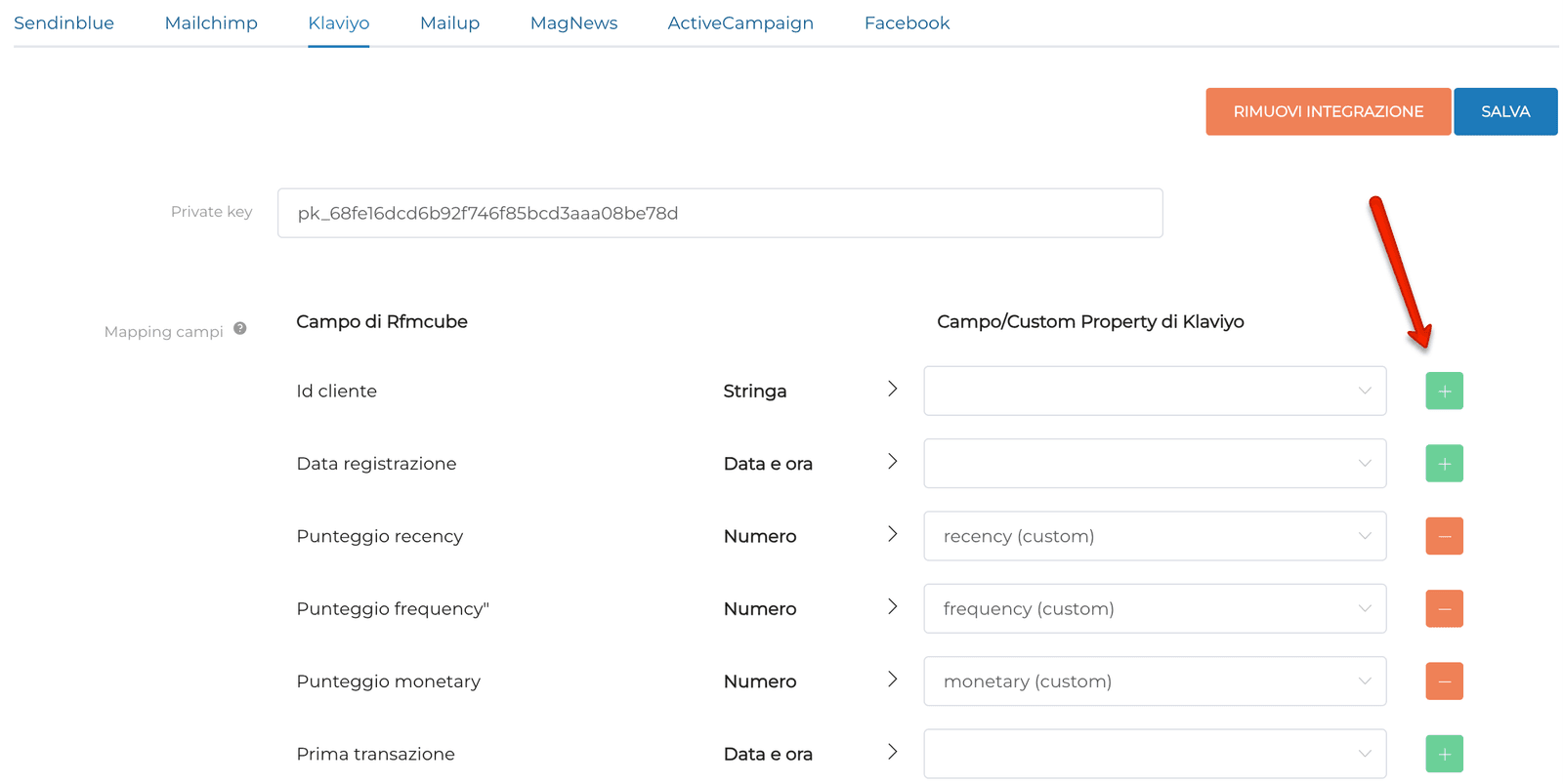
Once the integration has been saved, you will see the fields managed by Rfmcube below, which you can decide to integrate as you wish on Klaviyo.Click on the green button + to generate a new field, specifying its type (string, number, date, true/false, etc.). The new fields created will be visible in the Klaviyo customer database and controlled in real time by Rfmcube.
You can use these fields to create dynamic content, send personalized newsletters and much more, using Klaviyo’s internal segmentation system.
Assign Rfmcube segments to Klaviyo lists
Go to Segments overview, click in a given segment on the icon on the right Integrations and select Klaviyo.A box will open which will allow you to associate a relative list on Klaviyo to each Rfmcube segment.
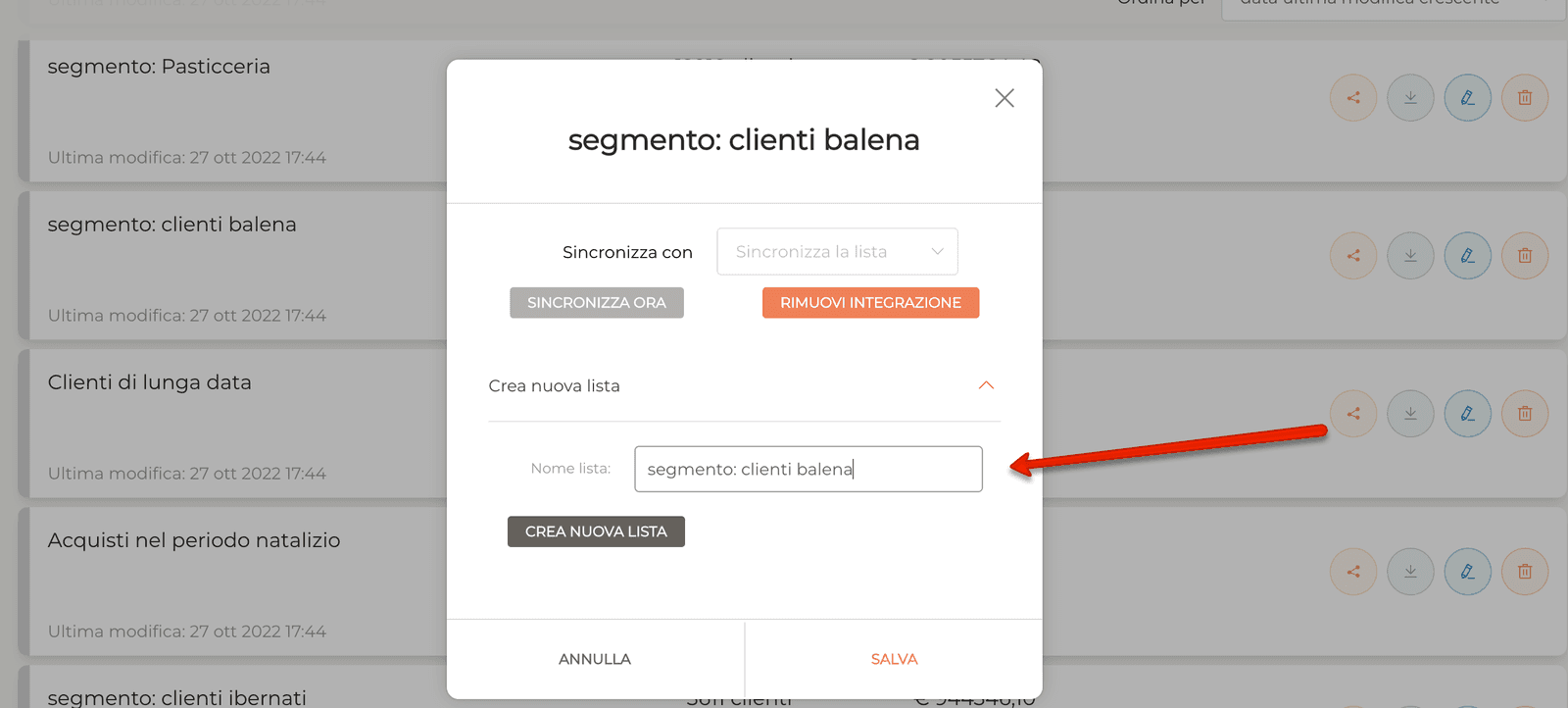
Assign a name to the list then click on Create new list (we recommend to copy-paste the segment name into the new tag field).
Click Sync Now, then click Save.
Nice Shot! Now you can design automations and newsletters targeting key segments found with Rfmcube.
You can also take advantage of Klaviyo’s additional tracking methods (e.g. site visits, cart additions, email opens, etc.) to further segment your Rfmcube lists and reach the desired depth.
Still haven’t tried Rfmcube? Register your free account >