
How to connect Magento 2 with Rfmcube
In this guide you will find out how to integrate your E-commerce into Magento 2 with Rfmcube and import your entire customer history in a few simple steps.
1. Create API integration
a. Frin the Magento 2 dashboard you need to go to System --> Integrations
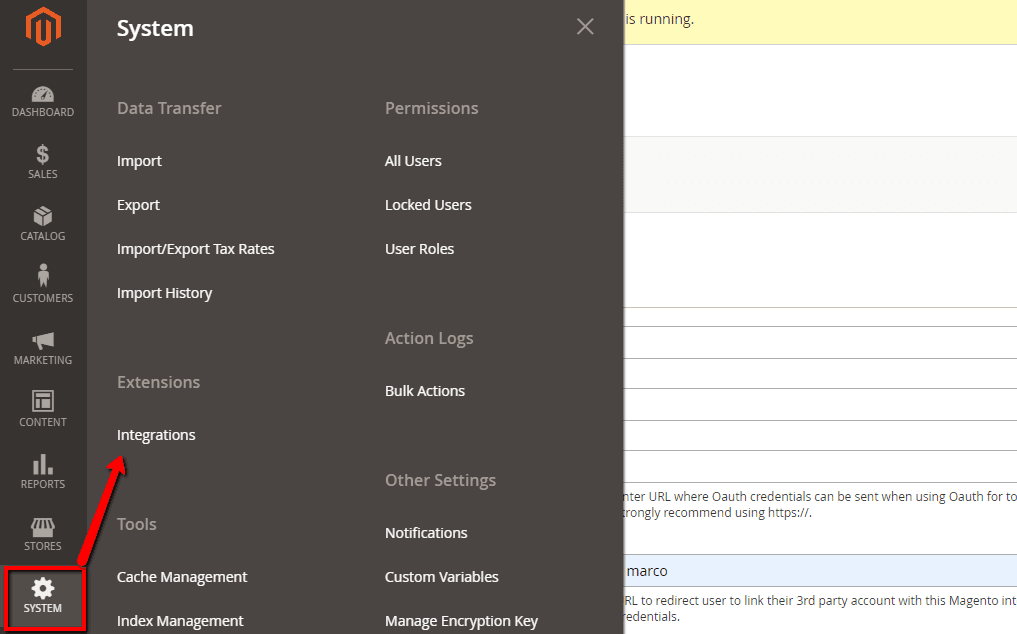
b. Click on Add Integration
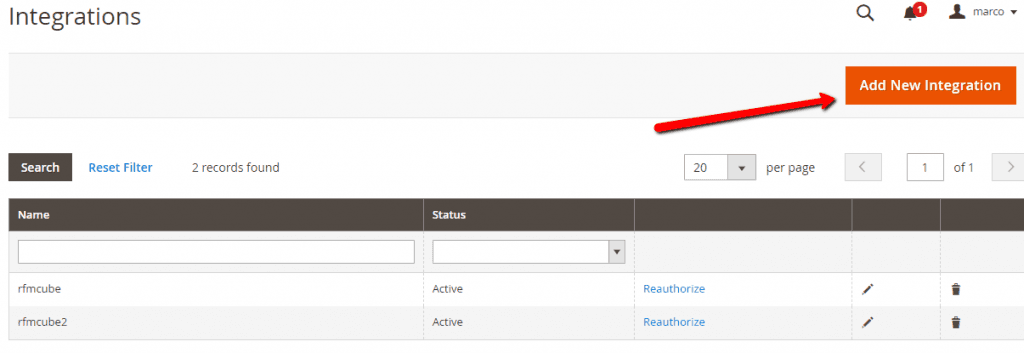
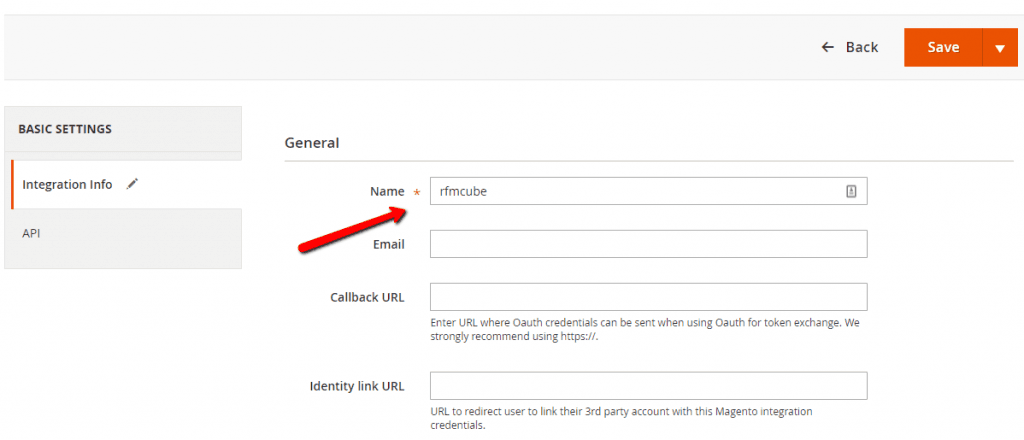
c. Enter rfmcube as the role name and ignore the other fields, after that click on the Save button.
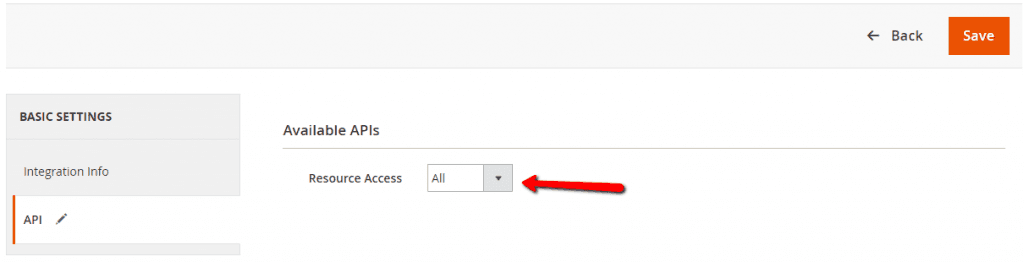
d. In the item Basic Settings --> API select All Resource Access.
2. Generate tokens
a. Now that you have created your integration, click on the Activate button.
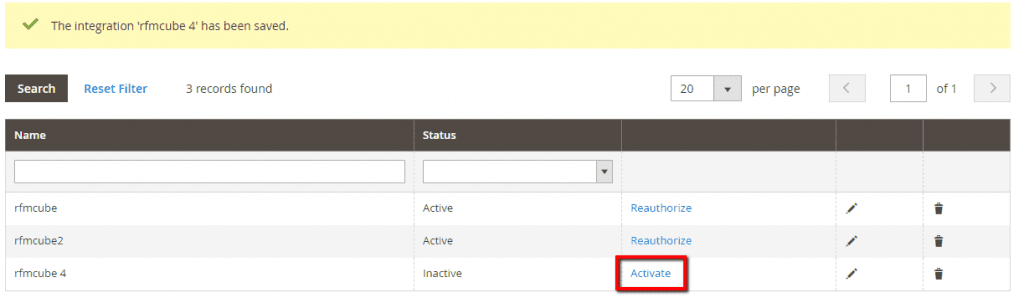
b. After that click on the Allow
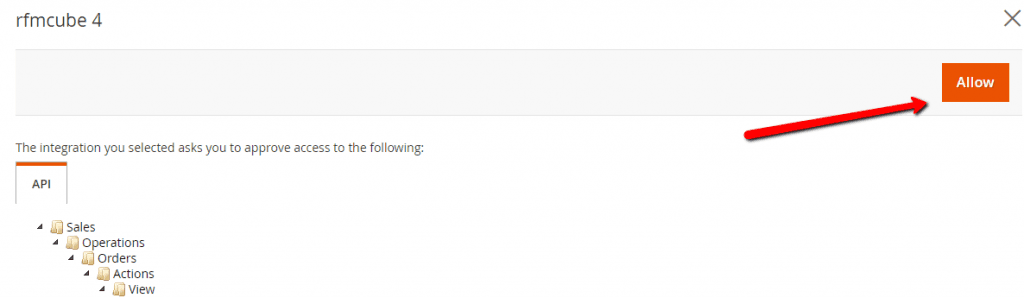
c. Well done! You have just generated the tokens that allow integration with Rfmcube: Consumer Key, Consumer Secret, Access Token and Access Token Secret.
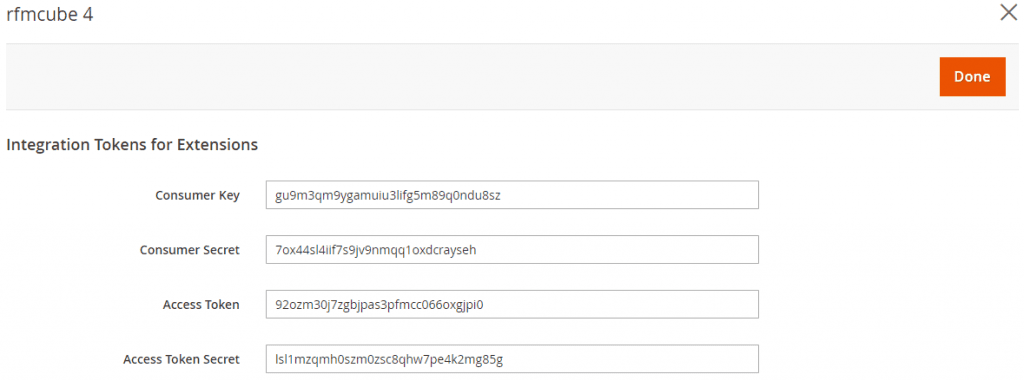
Open the Rfmcube dahboard and go to the /create page, select Magento 2 as the platform and insert the newly generated keys.
Finished ✌️
Rfmcube will automatically begin importing the customer history.
Depending on the size of the history, it can take from 30 minutes to 12 hours after which you will receive a notification email with access to your new dashboard.
Discover for yourself the segmentation of high-precision Rfmcube.