How to connect Woocommerce with Rfmcube
In this guide we will show how to synchronize Rfmcube with Woocommerce through the creation of an API REST key.
1. Install the Woocommerce plugin
Download the latest version of the Rfmcube plugin available at this address.
The plugin does not have any configuration, just install it and activate it on your Woocommerce.
1. Enable the REST API legacy
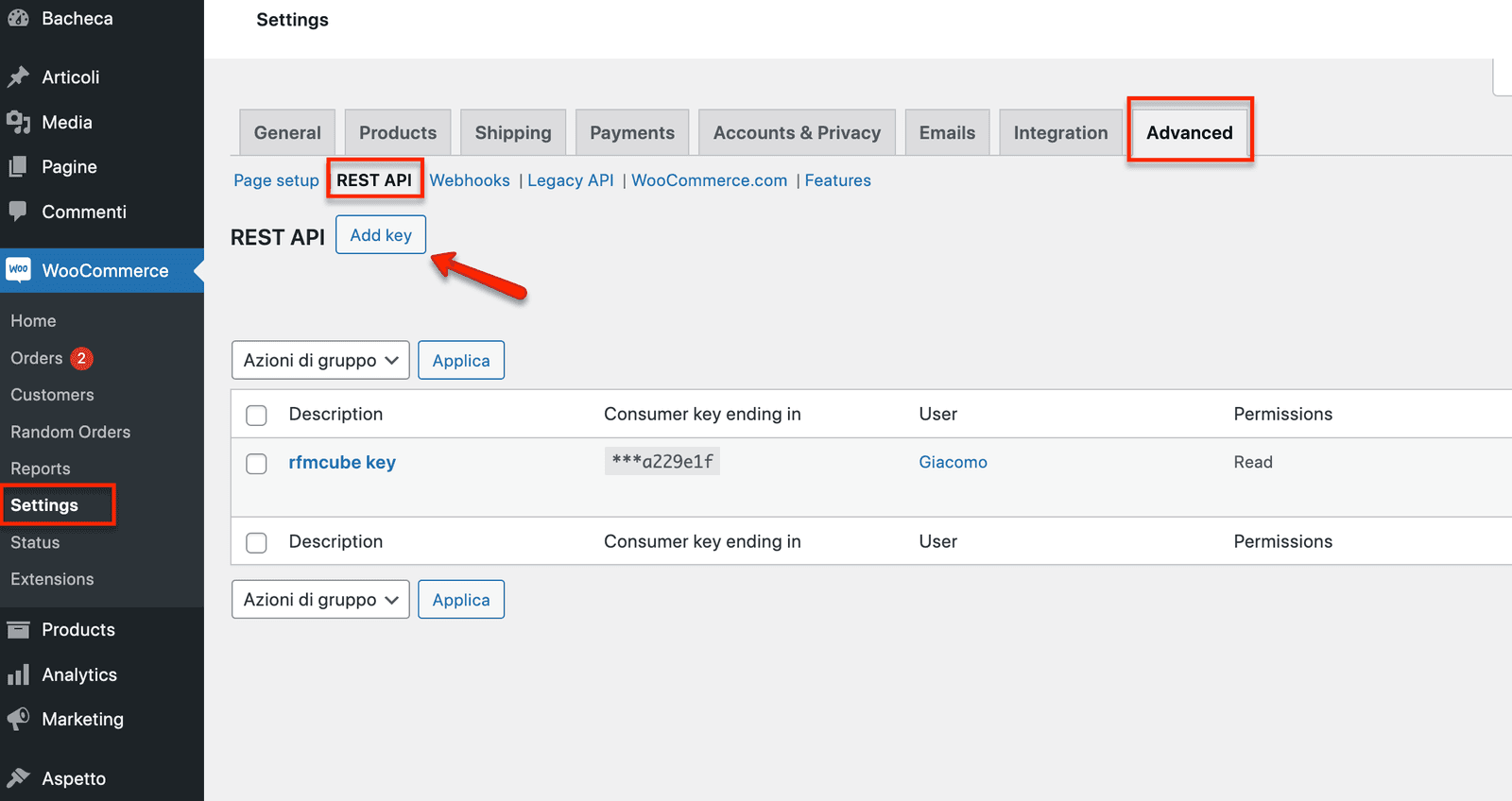
From the dashboard go to: Woocommerce --> Settings --> Advanced tick the option"Enable the API REST legacy"
2. Add the key
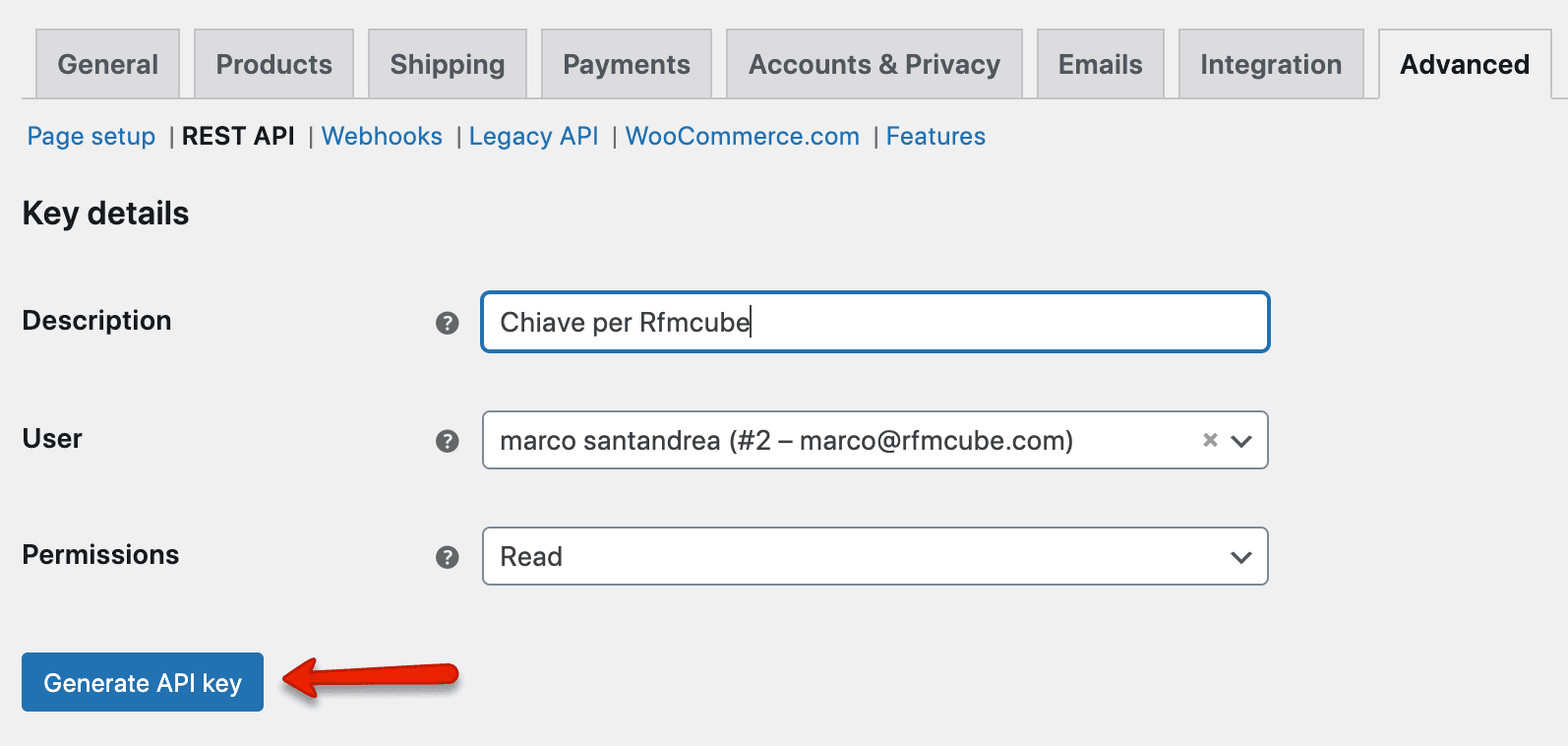
Enter an optional description and assign read-only permissions to the key, then click Generate API Key.
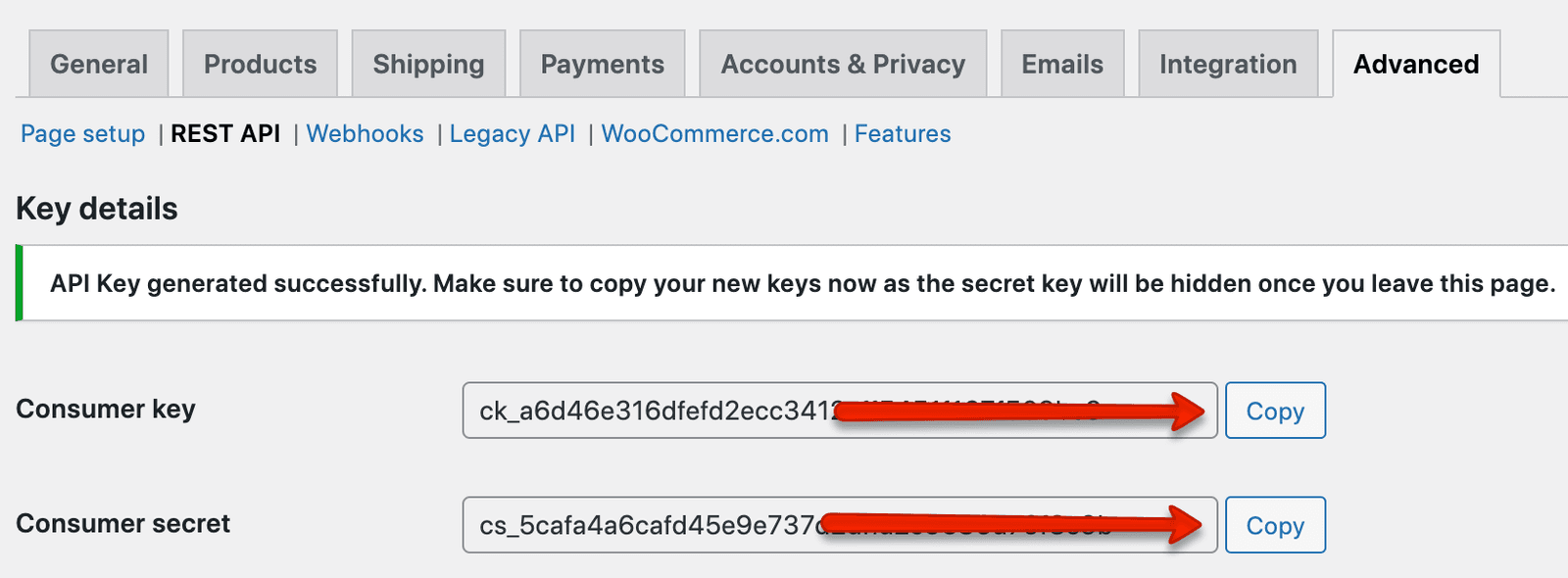
3. Copy "User key" and "Hidden user" values
Once the key is generated, the values "user key" and "hidden user" will be returned to you.
Make sure to copy your new keys as the secret key will be hidden once you leave the page.
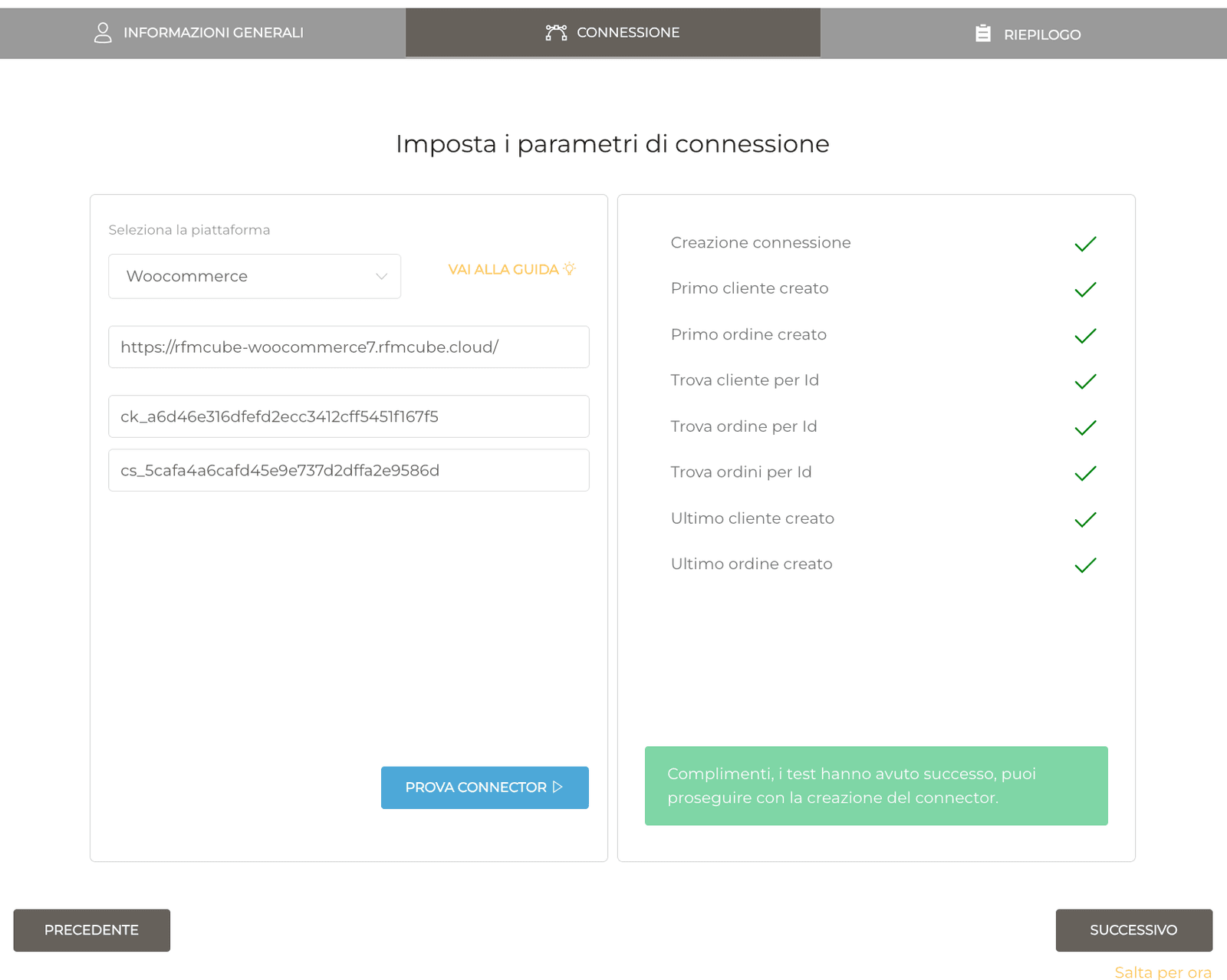
To conclude your integration, enter "User Key" and "Hidden User" in the creation mask of your connector on https://app.rfmcube.com/create and follow the procedure that will start importing your data.