
How to connect Prestashop with Rfmcube
In this guide you will see how to synchronize Rfmcube with Prestashop. Synchronization has the dual function of downloading full order history and of keeping the platform updated with sales data in real time.
1. Log in to Prestashop
a. From the menu go to the item:Configura --> Parametri avanzati --> Webservice
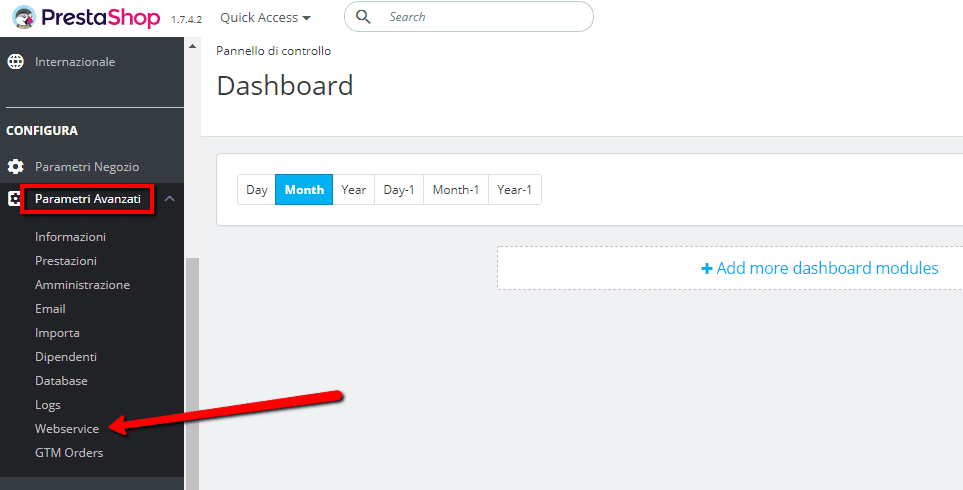
NB: make sure that Prestashop Web Services are enabled, you can do it at the bottom of the page, under “Configuration”.
b. Clicca Add new webservice key
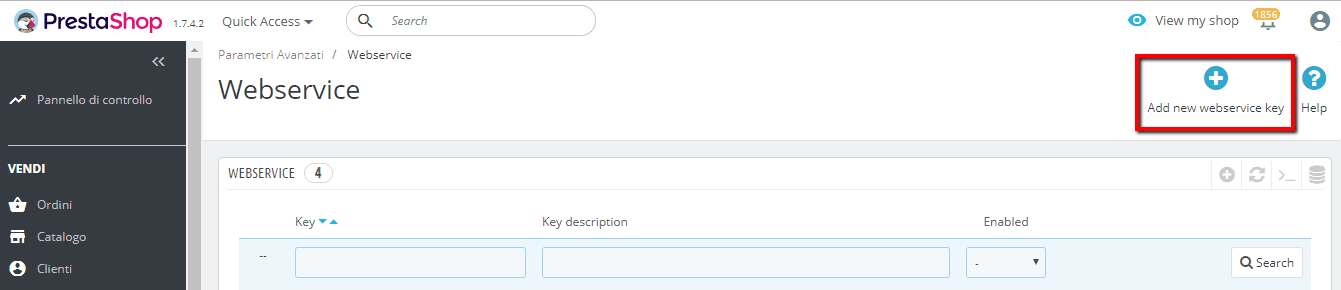
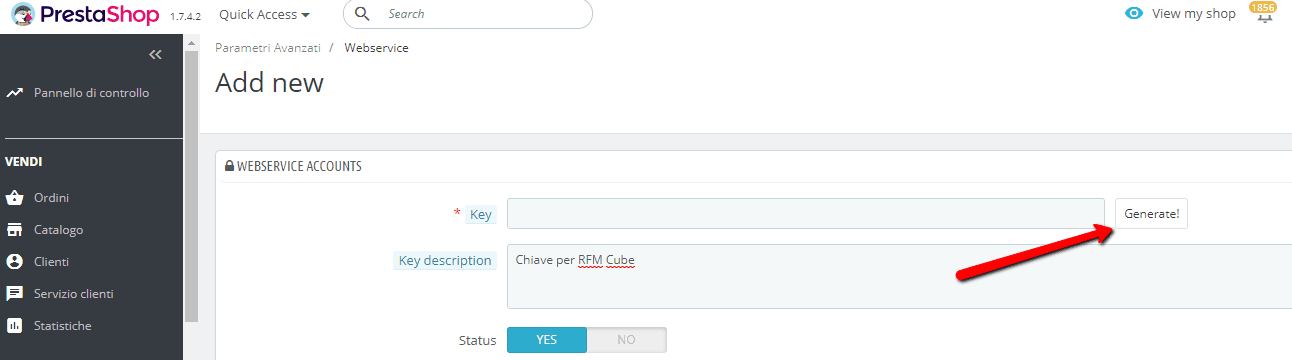
c. Click on the Generate! button to automatically generate an alphanumeric key which you need to copy to the clipboard.
d. In Key Description you can enter Key for rfmcube or anything else that would remind you there exists the key for our service now.
d. Tick the View (GET) and Fast View (HEAD) checkboxes to set reading permission.
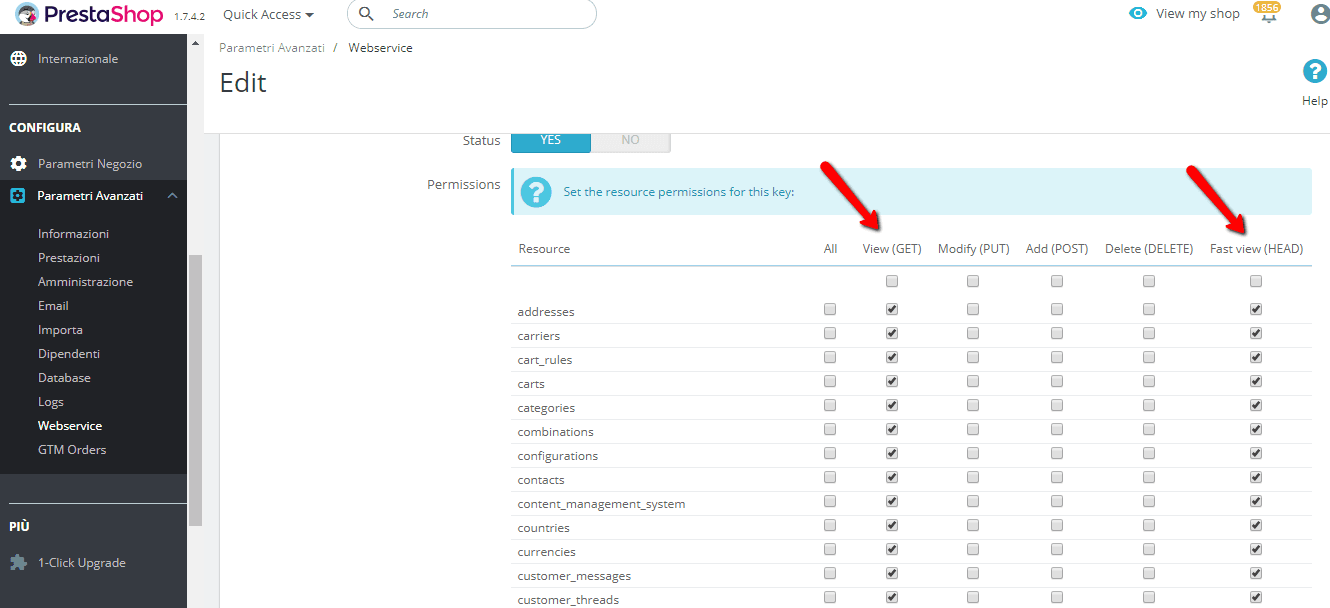
d. Click on the Save button.
At this point all you have to do is to insert the generated key into the Configuration Form of your Connector and synchronize your customer history.